Upside Down Text Tool Ⅎlᴉd-Iʇ-Noʍ: How To Write Upside-down & Backwards On Instagram, WhatsApp, Facebook

how to type upside down caption on Instagram post

Reverse Or Upside Down Text Generator by TechUntold Write Your Text Here: Flip Upside Down Reverse Text Your Transformed Text Is Here: Copy Transformed Text Our tool will work on iPhone and Android, as well as on your PC or Mac. So, you can use it on any of your devices. You just need a … Read more

How To Update WhatsApp Status from Gallery/Camera Roll Directly

how to update whatsapp status from gallery or camera roll

In WhatsApp status, people can put their status as photos, videos, or GIFs. From the status tab itself, you can upload any media. But if you want to update WhatsApp status from Gallery/Camera roll directly, then follow this article. This method shows how to post WhatsApp status from camera roll for Android as well as … Read more

How To View WhatsApp Contact List On Android And iPhone

View Contacts List on WhatsApp

A few years back WhatsApp rolled out a major status update, where it transformed text status into media updates similar to Snapchat and Instagram Stories. To include this feature, WhatsApp’s GUI changed and replaced the Contacts tab with a new Status tab. As soon as we saw this update, we started freaking out because we … Read more

How to Add and Use Facebook Trusted Contacts to Recover Your Account

What are Facebook Trusted Contacts and how to use them

Did you forget your Facebook account password? Well, there is an easy way to reset your Facebook password using Phone number or Email. But what if you also end up losing the phone number you might have attached to your Facebook account and no longer use the Email account associated with FB account. To prevent … Read more

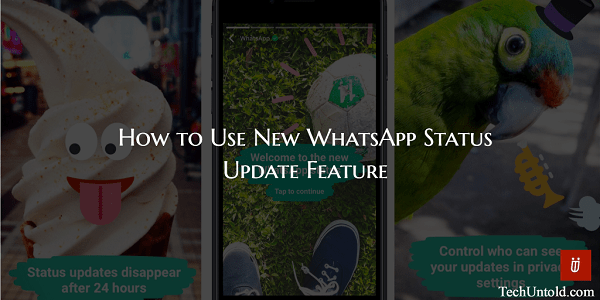
How To Use WhatsApp Stories: Set WhatsApp Status Update Now!

How to use WhatsApp Status Update feature

WhatsApp rolls out timely updates every now and again but recent update stands out of the lot. Facebook-owned WhatsApp has copied the Snapchat and Instagram Stories feature which has converted the status feature of WhatsApp into Stories that automatically disappear after 24 hours. In this article, we will let you know how you can use … Read more

How to Enable WhatsApp Two-Step Verification on iPhone and Android

How WhatsApp two step verification works

WhatsApp recently rolled out yet another update that increases your WhatsApp account security. After the end-to-end encryption which the instant messaging behemoth released last year, it is now time for two-step verification to boost WhatsApp account security. In this article, we will let you know everything about WhatsApp two-step verification and how you can activate … Read more

How to Create Snapcode for Any Website on Snapchat and How to Use it

How to Create Snapcode For Website on Snapchat

Snapchat has rolled out a new feature in its latest update for iOS app version(10.1.0.0) wherein you can create Snapcode for any website. This feature of Snapchat QR code for websites is similar to Snapcodes for Profiles which was launched earlier in 2015 by Snapchat. You can know more about Snapcodes in my earlier article … Read more

How To Add Snapchat Friend From Screenshot Or Camera Roll By Using Snapcodes

Add Friends by Snapcodes on Snapchat

Follow this Snapchat guide to know everything about Snapcodes. What is Snapcode, its purpose and benefits? How you can create or find your own Snapcode and how to add friends by Snapcodes on Snapchat instead of their usernames? You will get to know all of this here in this article. Update: Snapchat recently launched Snapcodes … Read more

How To Set Blank WhatsApp Status On Android and iPhone: Make Your WhatsApp Status Empty!

Make WhatsApp status invisible on Android and iOS

In this article, we will let you know how you can prank your friends by sending blank messages on WhatsApp. Moreover, we have mentioned the WhatsApp tricks to put blank WhatsApp status or ‘About’ on your Android or iOS device and surprise your WhatsApp contacts. Have you just seen someone in your contacts having a blank status? … Read more